A first prenatal visit can leave a parent with a notebook full of unfamiliar terms and very few clear answers. Another family may be searching for gentle, understandable information to support a child with sensory challenges, attention concerns, sleep difficulties, or musculoskeletal discomfort. In both situations, well-designed patient education resources can reduce anxiety, support informed conversations, and make it easier to follow a care plan at home.
Health information only helps when patients can find it, understand it, and use it. The U.S. Department of Health and Human Services defines personal health literacy in those practical terms, and major standards have encouraged patient materials to use plain language at or below a 5th- to 6th-grade reading level. Yet many health materials remain above the 10th-grade level, while only about 12% of Americans demonstrate proficient health literacy and nearly 9 out of 10 adults have difficulty using everyday health information, as summarized in this review of health literacy and patient education.
For prenatal, pediatric, and family chiropractic practices, the right mix may include videos, decision aids, visual guides, mobile tools, webinars, and in-clinic materials. The ten resources below show how a neuro-tonal practice can make education more accessible without turning every patient conversation into a lecture.
1. Interactive Educational Videos
A parent may understand a simple demonstration faster than a page of technical explanation. Short, professionally produced videos can show what a visit looks like, explain why a clinician performs an assessment, and answer common questions before a family arrives at the office.
A prenatal series might introduce the purpose of the Webster Technique, explain positioning during an appointment, and use anatomical overlays to clarify pelvic biomechanics. A pediatric series could describe a gentle Torque Release Technique adjustment, explain nervous system-focused care in age-appropriate language, and show how an infant or child is supported during a visit. The content should describe the practice's approach accurately, without presenting chiropractic care as a replacement for medical diagnosis or treatment.
Mayo Clinic and Cleveland Clinic offer useful examples of clear patient-facing video production. A practice can also review evidence-based educational libraries such as the Chiropractic Board of Canada's video resources, then adapt the presentation style to its own patients.
Build playlists around real questions
Create separate playlists for expectant parents, newborn and infant care, school-age children, adolescents, and adults with musculoskeletal concerns. Titles should answer a question directly, such as “What Happens at a Prenatal Chiropractic Visit?” or “How Is a Pediatric Chiropractic Assessment Performed?”
Practical rule: Demonstrate the experience, explain the purpose, and state when a patient should speak with another qualified healthcare professional.
Use parent testimonials only with detailed consent and careful privacy protection. Avoid promising outcomes for autism, ADHD, sensory processing disorder, sleep challenges, or speech delays. Seasonal videos about pregnancy comfort, school-bag posture, screen habits, or family movement can keep the library useful throughout the year.

2. Patient Decision Aids
Decision aids help families prepare for a conversation instead of passively receiving information. For an expectant mother, that might mean comparing questions about prenatal chiropractic care, medical care, physical therapy, exercise, or referral needs. For a parent, it might mean organizing concerns about posture, sleep, sensory behavior, or recurring discomfort before a consultation.
The Ottawa Hospital Research Institute's Decision Aid Library provides a strong model for presenting options, benefits, limitations, and questions in a balanced format. The American Pregnancy Association also offers patient-facing material that can help practices think about how to explain pregnancy-related choices without overwhelming readers.
Make the aid useful during the appointment
A chiropractic decision aid should not steer a patient toward a predetermined answer. It should help the family identify what matters to them, what they already understand, and what they still need to ask.
Useful sections might include:
- Clarify the concern: Invite the patient to describe symptoms, goals, timing, and previous care.
- Compare possible next steps: Explain what an assessment, referral, continued observation, or complementary support could involve.
- Discuss safety and boundaries: Include situations that require medical evaluation or urgent care.
- Prepare questions: Ask what the approach involves, what alternatives exist, and how progress will be reviewed.
For children with developmental or neurological challenges, use respectful language that focuses on the child's needs rather than implying that a single intervention can change a diagnosis. Materials from organizations such as the Autism Society can help practices maintain a family-centered tone.
Offer the aid in print and digital formats. A clinician can send it before the first visit, then review it with the family during the consultation. That small step turns education into a shared decision-making conversation.
3. Patient Education Brochures
A digital brochure should answer practical questions in a readable format. Families often open it on a phone between appointments, so each page needs clear headings, short explanations, and an obvious next step. A dense PDF filled with clinical terminology can turn useful guidance into another barrier.
Create versions for prenatal patients, parents of newborns, families with school-age children, and adults seeking support for back pain, neck pain, headaches, or other musculoskeletal concerns. A neuro-tonal practice can also prepare materials for families of children with autism, ADHD, or sensory processing disorder. Explain how chiropractic care may support the family's goals, while stating clearly that it does not diagnose or cure those conditions.
The Mayo Clinic health information library shows how complex topics can be arranged into readable sections. Family-oriented resources from Autism Speaks and the International Chiropractic Pediatric Association can also guide the tone and organization.
Match content to the family's next decision
Use the brochure as a reference families can return to, rather than a script they must read from beginning to end. For example, include:
- Before the visit: List information to bring and questions to record.
- Assessment: Describe the consultation, examination, scans, and goals in plain language.
- Care planning: Explain how recommendations are personalized and reviewed.
- Home support: Offer practical suggestions that fit pregnancy, newborn care, school routines, or family schedules.
- Follow-up: Show how patients can report concerns and discuss changes.
Add contact details, scheduling instructions, insurance information where applicable, and a clear statement of what the brochure cannot determine. Use readable type, strong contrast, descriptive headings, and an accessible PDF structure. Keep printed copies available for patients who prefer paper or have limited digital access.
Staff use makes the resource more useful. During an appointment, a clinician can mark the relevant page, pause for questions, and send that same brochure afterward. Families then have a consistent explanation to review at home, including guidance that may need to be adapted for prenatal care, pediatric needs, or the wider household routine.
4. Interactive Mobile Health Apps
A parent leaving a prenatal or pediatric visit may remember the main recommendation but forget a question, exercise, or follow-up detail by evening. A mobile app can keep those details available alongside appointment information, approved education, movement suggestions, secure messages, and a space for questions before the next consultation.
Begin with the tasks families already need to complete. Scheduling, reminders, secure communication, and selected educational materials usually serve a practice better than a crowded feature list. MyChart demonstrates how patient-facing tools can connect communication with health information within a broader care system. Headspace, Calm, Fitbit, and Apple Health offer familiar examples of reminders, daily entries, and habit awareness, though a chiropractic app should keep its content tied to the clinician's recommendations.
Build around family routines
A useful app should feel like a shared care notebook, with separate profiles for parents, infants, children, or adolescents. A family might record a question after a newborn's feeding routine changes, note a pregnancy comfort concern, or save an observation about a child's posture before the next visit. The practice should explain who can view each entry, who answers messages, and when a reply is expected.
Choose features that support, rather than direct, clinical judgment:
- Question capture: Let families save questions as they arise.
- Simple tracking: Record comfort, sleep observations, posture concerns, or activity patterns without suggesting a diagnosis.
- Personalized education: Show materials selected for pregnancy, infant care, pediatric support, or musculoskeletal needs.
- Calendar integration: Help families remember visits without excessive notifications.
Privacy requires a defined process. Use a platform appropriate for protected health information, document consent, limit staff access, and establish message-response procedures. Include clear guidance that app entries do not replace professional evaluation or urgent services. For a neuro-tonal practice, clinicians can review family notes during consultations and adjust education to the patient's age, stage, and changing needs.
5. Infographics and Visual Summary Guides
A parent may scan a handout while holding a baby, waiting for an appointment, or explaining care to a partner. A well-designed infographic gives that moment a clear path through a complicated topic. Its job is to simplify information without changing its meaning.
For prenatal care, a visual guide can outline how a clinician discusses positioning, comfort, and pelvic biomechanics. Another can show what to expect before, during, and after a Webster Technique visit. For pediatric families, the guide might map a consultation, explain an assessment, or offer practical posture reminders for school and screen use. In a neuro-tonal practice, visuals can also show how education is adjusted to a child's age, developmental stage, and family questions.
CDC health communication materials, Autism Speaks graphics, and Mayo Clinic condition overviews illustrate readable visual organization. Use short sentences, familiar labels, open spacing, and one clear next step. A graphic should work like a road map, with each heading helping the reader reach the next point.
Design for the question in front of the family
Keep unsupported claims, prevalence figures, and before-and-after promises out of patient materials. Any included figure needs a clearly identified, current source. Complex or uncertain evidence may require a brief explanation and a clinician conversation rather than a large headline.
Build separate versions for the people using them:
- Expectant parents: Appointment preparation, comfort questions, and referral prompts.
- Parents of young children: What a gentle visit involves and how caregivers participate.
- School-age families: Backpack, desk, movement, and screen-use reminders.
- Adults: Plain-language summaries of common musculoskeletal concerns and care conversations.
Add the practice name, phone number, website, and QR code to each shareable version. A digital copy can open a video or appointment page, while a printed copy can support a consultation-room discussion. Ask families which labels confuse them, then revise the wording and layout, rather than judging the design only by its colors.

6. Live and Recorded Webinar Series
A parent may have questions after an appointment, during pregnancy, or while preparing for a child's first visit. A webinar gives the family time to hear an explanation, consider examples, and ask questions without travelling to the clinic. The recording remains useful for families who could not attend live.
Choose one practical question for each session. “Preparing for a Prenatal Chiropractic Consultation” gives expectant parents a clear starting point. A pediatric session might explain what caregivers can expect during a gentle visit, how posture and movement are discussed, or which questions belong in a private consultation. A neuro-tonal practice can also describe how assessment and care are adapted for different ages, without presenting general education as an individual diagnosis.
A live “Ask the Chiropractor” format can collect questions about infant alignment, postpartum recovery, sensory challenges, or everyday musculoskeletal concerns. Set boundaries before questions begin. Individual children should not be diagnosed in a public forum, and families should be directed to an appropriate assessment when personal guidance is needed.
Pregnancy education materials from the American Pregnancy Association and webinar resources from Autism Speaks provide examples of audience-focused communication. The practice can also list online sessions alongside community health events, giving families more than one way to learn.
Build one session into several resources
Start with a focused title, a short description, and the audience's main question. Promote the event through email, social media, appointment reminders, and the clinic website. A pediatrician, occupational therapist, childbirth professional, or other qualified guest can add context when the topic extends beyond chiropractic care.
Afterward, give the recording a second life:
- Short video: Answer one question from the session.
- Written summary: Restate the main ideas in plain language.
- Question sheet: Help families continue the discussion at home.
- Follow-up email: Link to relevant brochures, guides, or consultation details.
Use captions, readable slides, and an audio option whenever possible. Before re-sharing an older recording, check its clinical guidance, practice procedures, and referral information for updates.
7. Patient Testimonial Case Study Library
A family's account can show what entering care feels like, while a case study gives readers a clear sequence: the initial concern, the family's goals, the assessment, the care plan, and observations over time. For prenatal, pediatric, and family chiropractic practices, this format helps prospective patients understand the process without treating one experience as a promise.
A prenatal story might describe why the patient sought support, which questions she brought to the first consultation, and how the practice explained its neuro-tonal approach. A parent's account involving autism, ADHD, or sensory processing disorder should describe the concerns and support the family sought without implying that chiropractic care changed the underlying condition. The family can explain how it considered the experience alongside other care.
Protect trust and privacy
Obtain specific, informed consent for written and video stories. Families should know where the material may appear, whether names or images will be used, and that declining publicity will not affect their care. Privacy decisions deserve extra care for children because a public story may remain accessible after circumstances change.
Separate reported experience from clinical conclusion. Phrases such as “the parent reported” and “the patient described” identify whose perspective is being shared. They also prevent an individual account from sounding like a general outcome claim. Remove identifying details that do not help readers understand the experience.
“A compelling story explains what the family wanted to understand, not just what the practice wanted to promote.”
Organize the library by audience and concern, such as prenatal visits, newborn consultations, school-age posture, adult back or neck pain, and family wellness. In ethically documented stories, patients may describe observations about comfort, routines, activity, or sleep. Explain that experiences differ, and avoid manufactured precision or language suggesting another family should expect the same result.
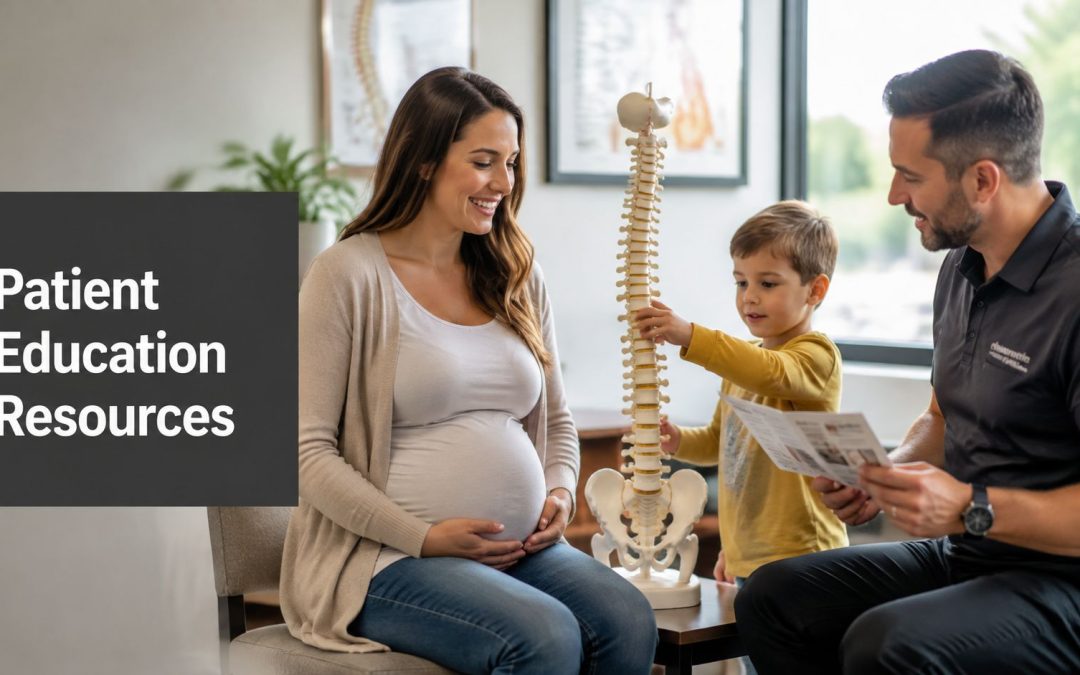
Use images that match the setting, such as a chiropractor speaking with parents and a child during a pediatric consultation or reviewing an assessment with a family. The visual should reinforce the educational context and the practice's prenatal, pediatric, or family focus.

8. Downloadable Resource Guides and E-books
A downloadable guide gives patients a reference they can revisit after a consultation. It can cover prenatal chiropractic care, postpartum recovery, newborn care, family movement, or questions about nervous system-focused support. Unlike a short brochure, a guide can provide context, definitions, sample questions, and links to related resources.
Possible titles include “The Expectant Mother's Guide to Prenatal Chiropractic” or “Questions to Ask About Your Child's Care.” A family guide should explain what a practice does, what it doesn't do, and when a parent should seek medical or emergency support. A glossary can define terms such as assessment, adjustment, pelvic biomechanics, and nervous system function without presenting technical language as proof of an outcome.
The Mayo Clinic patient guide collection and family resources from Autism Speaks demonstrate how longer educational materials can be organized around practical needs.
Give readers a reason to return
Break a large guide into useful chapters. A prenatal reader may want preparation for the first visit, while a new parent may need infant-care questions and a clear explanation of follow-up. Include printable pages, but don't make the entire document dependent on printing.
First Steps Chiropractic's integrative healthcare solutions content can serve as a model for connecting educational explanations with broader family-care conversations.
Review every guide before publication. A clinician should check clinical wording, referral guidance, contraindications, contact details, and links. Add a visible revision date and update the guide when the practice changes its process or when the underlying evidence requires a new explanation.
9. Interactive Online Consultation and Assessment Tools
An online questionnaire can help a family organize information before the first appointment. A pregnant patient might record posture concerns, discomfort, previous care, and questions about positioning. A parent might describe a child's routines, movement patterns, sleep concerns, or the reason the family is seeking an assessment.
The tool should educate without pretending to diagnose. Screening questionnaires can identify topics for discussion, but they can't establish autism, ADHD, sensory processing disorder, or another medical condition. Parents should be directed to qualified medical or developmental professionals when their answers raise concerns outside the practice's scope.
Turn answers into useful next steps
At the end of the form, provide a plain-language summary of the topics the patient selected. Link to the relevant video, brochure, or guide, then offer a clear way to request a consultation. Don't bury the privacy notice or collect information the practice doesn't need.
A strong workflow includes:
- Scope statement: Explain that the tool is educational and not diagnostic.
- Referral prompts: Identify when the family should contact a physician, pediatrician, midwife, or emergency service.
- Patient control: Let users review their answers before submitting.
- Staff follow-up: Define who reviews submissions and how communication is handled.
A practice can use a chiropractic nerve scan educational article to explain a related concept, as long as the tool clearly distinguishes education from clinical interpretation.
The embedded video below can support an introductory explanation, but it should sit beside written information for patients who prefer reading or need captions.
Keep the form short enough to complete comfortably on a phone. Review abandonment patterns and patient feedback, then revise confusing questions. The purpose is not to create a diagnosis engine. It's to help families arrive prepared for a better conversation.
10. In-Clinic Educational Displays and Waiting Room Materials
The waiting room is a practical education setting because patients are already thinking about care. A clear poster, brochure rack, child-friendly display, or captioned screen presentation can answer a question before staff need to explain it repeatedly.
For a prenatal and pediatric practice, displays might include a simple nervous system anatomy graphic, an explanation of what happens during a consultation, a guide to newborn visits, and practical posture reminders for pregnancy, school, and screen use. A small card can direct families to a video or downloadable guide through a QR code.
Design for movement through the room
Patients don't study every display for long. Use one main idea per poster, a strong heading, short paragraphs, and a visible next action. A parent should understand what the display is about without needing to stand close to read a wall of text.
Rotate the subject matter so the room stays relevant:
- Prenatal focus: Questions to bring to a consultation and comfort-support information.
- Pediatric focus: What caregivers can expect during a gentle assessment.
- Family focus: Movement, posture, and home routines.
- Practice focus: The five-step process used by First Steps Chiropractic, including consultation, Insight Scans, examination, personalized care planning, and adjustments.
Use patient photographs or stories only with permission. Keep printed materials current, stocked, and easy to take without asking. A screen can show brief educational clips, but it shouldn't become a source of unsupported claims or distracting promotion. Staff can ask which display a family noticed, then use that answer to improve the next round of materials.
Top 10 Patient Education Resources Comparison
| Resource | Core features | UX / Quality (★) | Value & Cost (💰) | 👥 Target Audience | ✨ / 🏆 Unique Selling Points |
|---|---|---|---|---|---|
| Interactive Educational Videos | Short & long formats; demo Webster & TRT; animations & testimonials | ★★★★★ Engaging, visual, SEO-friendly | 💰 Medium $500–2k / video | Expectant mothers, parents, busy families | ✨ Visual technique demos; 🏆 builds trust & clinic authority |
| Patient Decision Aids | Comparative matrices; decision trees; evidence summaries | ★★★★☆ Improves confidence; evidence-based | 💰 Low–Medium $200–800 | Pregnant patients, parents deciding care | ✨ Clarifies choices; 🏆 supports informed consent |
| Comprehensive Digital Patient Brochures | Branded PDFs; condition-specific guides; QR links | ★★★★ Readable, printable, professional | 💰 Low $100–400 | Parents, prenatal patients, in-office visitors | ✨ Detailed reference; 🏆 cost-effective credibility asset |
| Interactive Mobile Health Apps | Symptom tracking, scheduling, messaging, exercise demos | ★★★★☆ Highly engaging; requires adoption | 💰 High $5k–20k+ (or $100–500/mo WL) | Tech-savvy parents, adolescents, repeat patients | ✨ Real-time tracking & retention; 🏆 strongest engagement |
| Infographics & Visual Summary Guides | Single-page visuals; stats; mobile & printable | ★★★★ Attention-grabbing, shareable | 💰 Low $50–800 | Social audiences, waiting-room readers, quick-read parents | ✨ Highly shareable & memorable; 🏆 excellent for social reach |
| Live & Recorded Webinar Series | Live Q&A, scheduled topics, recordings, guest experts | ★★★★ Builds community; needs promotion | 💰 Low–Medium $0–200/mo platform | Prospective patients, current families, professionals | ✨ Two-way engagement; 🏆 thought leadership & lead gen |
| Patient Testimonial Case Study Library | Written + video case studies; timelines; measured outcomes | ★★★★★ Persuasive, trust-building | 💰 Low–Medium $100–500 / pro video | Prospective patients with similar conditions, parents | ✨ Emotional social proof; 🏆 high conversion influence |
| Downloadable Resource Guides & E-books | 20–50 pp guides; checklists; gated lead capture | ★★★★ Comprehensive reference; gated | 💰 Medium $500–1.5k | In-depth learners, lead-gen prospects, parents | ✨ Deep expertise & lead capture; 🏆 differentiator |
| Interactive Online Consultation & Assessment Tools | Symptom checkers, conditional logic, automated summaries | ★★★★ Personalized intake; must be validated | 💰 Medium $800–2.5k | Prospective patients screening autism/ADHD/prenatal | ✨ Pre-qualifies leads; 🏆 streamlines intake & scheduling |
| In-Clinic Educational Displays & Waiting Materials | Posters, digital screens, brochure racks, QR codes | ★★★ Captures attention in-clinic | 💰 Low–Medium $200–1k | Walk-ins, waiting families, non-tech patients | ✨ Immediate credibility boost; 🏆 accessible to all patients |
Implementing Your Patient Education Strategy
A strong patient education strategy doesn't require a practice to launch every format at once. Begin with the questions families ask most often. For a prenatal and pediatric chiropractic clinic, those questions may involve what happens during the first visit, how the practice works with infants and children, what the Webster Technique involves, how Torque Release Technique is performed, and when a patient should seek care from another professional.
Start with short videos and infographics. They're easy to share before an appointment, display in the clinic, and connect to a longer brochure or guide. Keep the wording plain, use captions and readable design, and ask a clinician to review every clinical claim before publication.
Build a phased system
Once the basic library is working, add decision aids and webinars. A decision aid can help a family prepare for a consultation, while a webinar can answer broader questions in a setting that allows real-time discussion. Recordings can then support patients who weren't able to attend and provide material for future email or social content.
Interactive tools and downloadable guides should come later, after the practice understands what patients need. A questionnaire that collects too much information or an app filled with rarely used features can create friction rather than improve access. Keep each tool connected to a clear action, such as reviewing a question with the chiropractor, requesting a consultation, or reading a related guide.
Measure usefulness, not just production
Track whether patients can find resources, open them, finish them, and use them during conversations. Portal distribution alone doesn't guarantee engagement. A 2023 systematic review found that 46 studies, or 88.5% of the reviewed literature, reported patient use of educational resources within patient portals, showing how important portals have become as a delivery channel, as reported in the systematic review published by JAMIA Open. But a separate review found an average utilization rate of 47%, or 871 of 1,839 patients, across 12 studies with self-reported usage data, with rates ranging from 20% to 95%, as detailed in this review of patient-portal education utilization.
That gap points to a practical lesson. Make resources easy to discover inside the portal, link them from appointment messages, and introduce the right material during the visit. Use patient feedback to improve reading level, language access, format, and navigation.
Accessibility should remain central. Health education must account for low literacy, limited connectivity, language preferences, and patients who need audio, video, captions, translated content, or printed materials. One industry report found that hospitals use a blend of portal, print, email, and other channels, with 67% using patient portals, 64% using print, 54% using email, and 62% using three or more sources, according to the 2021 patient-education delivery report. A blended approach gives families more than one way to receive and revisit information.
Finally, add question prompts to every resource. Patients need more than disease explanations or technique descriptions. The Institute for Healthcare Improvement's Ask Me 3 program centers the conversation on plain-language questions that help patients understand what matters, what they should do, and why it matters. For a family practice, that same principle can guide every video, guide, display, and consultation.
First Steps Chiropractic in Hayden, Idaho combines prenatal, pediatric, and family chiropractic services with a neuro-tonal approach, including Torque Release Technique, Webster Technique, consultations, Insight Scans, examinations, personalized care plans, and adjustments. Its educational materials can help families explore topics such as sensory processing disorder, sleep challenges, pediatric care, prenatal support, and broader family wellness while keeping the next step clear.
Visit First Steps Chiropractic to explore family-focused chiropractic care, educational guides, workshops, and resources for prenatal, pediatric, newborn, and musculoskeletal needs. Bring your questions to the team and ask about a complementary consultation or benefits check to determine which educational and care options fit your family.