You know that feeling when you stand up from your desk, roll your shoulders, and realize your neck has been tight for days, your low back is complaining, and your workstation somehow feels wrong even though nothing obvious changed? That's the point where a chair tweak stops being enough. Ergonomic assessment services are built for that exact moment, they look at how your body, your task, and your environment are interacting, then trace the strain back to its source instead of just moving a mouse pad around.
What Ergonomic Assessment Services Really Are
A lot of people hear “ergonomics” and picture a better chair. That is too narrow. A professional ergonomic assessment works more like a posture-and-movement checkup. It looks at how you sit, lift, reach, type, and stand, then compares those habits with how your body is built to function.
It also matters because the strain is widespread, and the field has grown to meet that need. Analysts at Voxel AI note that the workplace ergonomics assessment market has expanded across office, hybrid, and industrial settings, which reflects how often people are dealing with preventable strain at work. The larger point is simple, more jobs now ask the body to stay in one position, repeat the same motions, or hold tension for long stretches.

What gets evaluated
A real assessment does not stop at the chair. It looks at physical workstation setup, human factors, and health outcomes together, because those pieces affect one another like links in a chain. A clinician or ergonomics professional may look at monitor height, keyboard reach, posture, repetitive motions, task timing, fatigue, and whether symptoms show up during or after work.
Practical rule: if the recommendation only changes furniture and never asks about pain, movement, or task demands, it is probably not a full ergonomic assessment.
That broader view is why employers, clinics, and families ask for the service. They want to know whether the problem is the desk, the workflow, the way someone is using their body, or all three at once. A sore neck can start at a screen, but it can also reflect a body that is bracing too much, breathing shallowly, or losing postural control under stress.
That crossover matters for neuro-tonal family chiropractic as well. An ergonomic screen can show where the body is overworking, while a neuro-tonal approach asks whether the nervous system is holding a stress pattern that changes posture, muscle tone, and tolerance for daily load. The two views fit together, because a workstation may be the place symptoms show up, but the body's response often tells a deeper story.
A technically sound assessment is also anchored to recognized standards such as ISO 6385, ISO 9241, and ISO 45001 (Colossal Consultants). For office and computer work, many providers also benchmark against ANSI/HFES 100, which gives codified requirements for seated, sit/stand, and standing workstation design (Human Factors and Ergonomics Society). That turns “this feels better” into something repeatable and defensible, with recommendations that can be tested against the demands of the job.
The Main Types of Ergonomic Assessment You Can Book
Not every assessment serves the same body, task, or life stage. The right one depends on whether you're managing a keyboard-heavy desk job, recovering from postpartum strain, raising a child with posture or coordination concerns, or overseeing a job site with lifting and reaching demands.
Office and computer workstation assessments
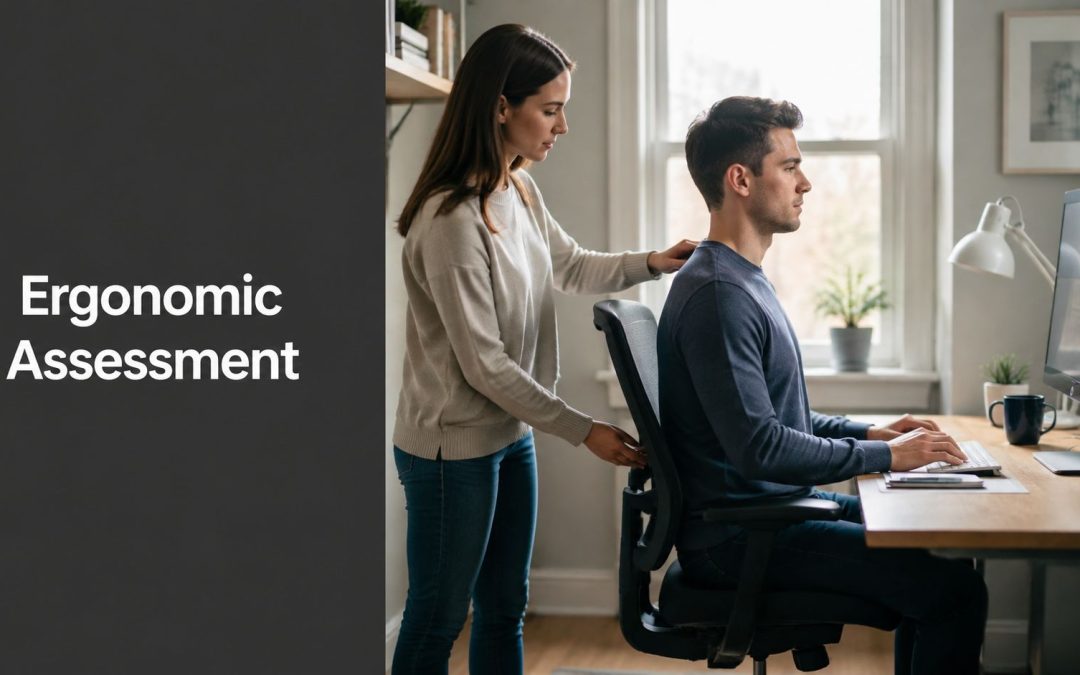
These are the classic desk assessments. They focus on monitor position, chair setup, keyboard and mouse placement, and how often you're locked into one posture. If you're the person who gets shoulder tension after spreadsheets or headaches after long video calls, this is usually the first stop.
Remote and hybrid work setups
Home offices often create makeshift habits. Dining chairs, couches, laptops, and kitchen counters are common culprits, especially when the setup shifts day by day. A remote assessment looks at the actual home environment, not an idealized office photo.
Prenatal and postpartum posture support
Pregnancy changes how someone stands, breathes, reaches, and tolerates load. A prenatal assessment can be especially useful when pelvic discomfort, low-back strain, or sleep disruption starts affecting daily tasks. Postpartum, the focus often shifts to feeding positions, lifting a baby, carrying gear, and restoring comfortable movement patterns.
Pediatric and developmental posture screening
Children aren't small adults. A child who slouches at homework, avoids sitting still, or looks awkward on a bike may need a developmental lens, not a one-size-fits-all chair tip. These screenings can help identify posture, coordination, or sensory-motor patterns that deserve a closer look.
Industrial and manual-handling evaluations
Warehouse leads, lab teams, and anyone doing lifting, pushing, or repetitive handling need a different toolset. This type of assessment pays attention to force, repetition, reach, and awkward body positions during actual work tasks.
A good provider doesn't force every case into the same template. They match the assessment to the body, the job, and the symptom pattern.
What Happens During an Ergonomic Assessment
The visit usually starts with a history, not a ruler. You'll be asked what hurts, when it hurts, what a normal workday looks like, and what makes symptoms better or worse. That conversation matters because two people can sit at the same desk and have completely different stress points.

The observation and analysis phase
Next comes direct observation. The assessor watches how you sit, reach, stand, lift, or switch tasks, sometimes while taking photos or measurements. They may notice that your monitor is fine but your keyboard forces your shoulders forward, or that your job has hidden repetition that you stopped noticing because it's become normal.
The task is then screened for risk. That can include posture mismatch, force, repetition, duration, compression, vibration, or cold exposure, depending on the work setting. If the provider uses a formal tool, they may score the task and pair that score with what you report about pain, fatigue, or strain.
The recommendation and follow-up phase
The result should be a written plan with specific changes, not a vague suggestion to “sit better.” That plan may include workstation adjustments, task redesign, equipment changes, or a schedule for recheck if symptoms persist. Neutral guidance also says an assessment should be repeated after controls are implemented and whenever work changes or discomfort shifts, which makes the process a loop rather than a one-time fix (Triumvirate ergonomic risk reduction guidance).
If you're preparing for the visit, wear what you normally wear to work and have your real setup available. A few notes about where you feel symptoms, when they start, and which tasks trigger them can make the final recommendations much more useful.
Measurable Benefits and Real Outcomes
A sore neck after a desk day, a back that tightens during lifting, or a team that seems to run on strain rather than ease are all signs that ergonomic assessment services are being asked to do real work. People usually want proof before they invest time, money, or employer attention. That makes sense, because the value only becomes clear when the changes reduce symptoms and prevent the same problem from returning in a new form.

A frequently cited set of results in ergonomics reporting found that effective office ergonomics interventions reduced musculoskeletal problems by 61%, reduced lost workdays by 88%, and reduced staff turnover by 87%. The same source reported a cost-to-benefit ratio of 1:1.78 and a payback period of 0.4 years (Wellfit Consultancy). Those findings help explain why employers increasingly treat ergonomic review as a form of prevention, not a desk accessory.
The wider business case is also easy to understand. Ergonomic injuries are reported to account for one-third of all U.S. worker injury and illness cases, and overexertion alone costs U.S. employers $13.7 billion annually (Voxel AI industry insights). A good assessment can interrupt the pattern that starts with strain, then turns into absence, then becomes a claim, and finally affects productivity.
A major employer example is often cited as well. Johnson & Johnson was reported to have saved over $250 million in health care costs after investing in workplace ergonomics. The point is not the brand name. The point is the sequence. When the setup fits the person early, the workplace tends to see fewer injuries and less follow-up care later.
Ergonomic assessment also matters when discomfort is already active. A plain-language guide to how to relieve lower back pain can help a person understand symptoms that started at the desk, in the car, or during repetitive work. Ergonomics works best as part of a broader response, because a chair change alone cannot solve a task that keeps asking the same tissues to do too much.
Clinical takeaway: if symptoms keep coming back after a setup change, the issue may be task design, not furniture.
How First Steps Chiropractic Integrates Ergonomics With Neuro-Tonal Care
Ergonomic insight becomes more useful when it's paired with a nervous-system lens. Posture is never just posture, it's also how the body organizes tone, balance, breathing, and response to load. That's why ergonomics can fit naturally beside a neuro-tonal family chiropractic workflow rather than living in a separate box.
At First Steps Chiropractic, that broader logic is part of the larger care model, which includes consultation, Insight Scans, a thorough chiropractic exam, a personalized care plan, and adjustments. If you want a deeper explanation of the nervous-system side of that approach, the clinic's overview of chiropractic and the nervous system is a helpful companion to the ergonomics conversation.
Why the crossover matters
A workstation issue can show up as neck tension, headaches, sleep disruption, or fatigue, but it can also interact with sensory challenges, developmental patterns, or pregnancy-related strain. In practice, that means the same slouched screen position can matter very differently for a child with attention difficulties, a pregnant patient with pelvic changes, or a parent carrying a baby all day.
That's where gentle techniques like Torque Release Technique and the Webster Technique can fit into the picture. Torque Release Technique is often used as a low-force approach to the spine and nervous system, while Webster Technique is commonly discussed in prenatal care because it focuses on pelvic biomechanics and balance during pregnancy. Ergonomic findings help reveal where daily posture is feeding the problem, while the chiropractic exam helps determine how the body is adapting to it.
A screen can tell you that a desk is awkward. A clinical exam helps explain why one person tolerates that awkwardness and another person doesn't.
The most useful crossover is simple. Ergonomics identifies the load, chiropractic care helps assess how the nervous system and musculoskeletal system are handling that load, and the care plan ties the two together so recommendations aren't random.
Virtual, In-Person, and AI Tools Compared
Remote ergonomic screening is popular because it's fast and convenient, but convenience isn't the same as precision. The question isn't whether virtual tools are useful, it's what they're good for.
A 2022 study found that a 3D posture-analysis algorithm outperformed Kinect SDK for estimating office-worker joint angles, but it still had large mean absolute errors for some angles, including shoulder flexion at 6.3° and wrist flexion at 8.6° (ScienceDirect study abstract). That's good enough to support screening, but it's not the same as a hands-on biomechanical evaluation when pain is complex or symptoms are changing.
How to choose the format
- Self-guided screen: best for a quick home-office check when symptoms are mild and the question is mainly setup.
- Virtual consult: useful when travel is hard, the workspace is easy to see on camera, or you want a first-pass review before deciding on a deeper exam.
- In-person assessment: the safer choice when pain is persistent, the job involves lifting or repetitive force, or the person's stage of life adds complexity, such as pregnancy, postpartum recovery, or childhood development concerns.
Major providers now market virtual and AI-based ergonomic assessments for office and hybrid workers, which shows how quickly the category is growing. Still, the practical rule is conservative. Use remote tools for screening, then move to in-person evaluation when the body is giving you a clearer signal than the software can read.
Pricing, Insurance, and How to Choose a Provider
Price is the next question after value, and it should be. A good assessment saves frustration only if it fits your budget and your level of need. Many services are billed as a consultation, a clinical visit, or part of a broader workplace program, so the final cost depends on setting and scope rather than on a single universal fee.
A simple comparison
| Format | Best For | Typical Cost Range | Key Limitation |
|---|---|---|---|
| Self-guided screen | Mild discomfort, basic setup issues | Often the lowest-cost option | No clinical interpretation |
| Virtual consult | Home offices, first-pass screening | Usually less than in-person care | Camera limits movement detail |
| In-person assessment | Pain, complex tasks, pregnancy, children, manual work | Usually the most comprehensive option | Requires scheduling and travel |
Insurance coverage can vary, especially when the visit is tied to clinical care rather than a standalone workplace service. If you're comparing benefits, it helps to read about insurance coverage for alternative medicine before you book, because many plans treat assessments differently from general wellness visits.
Ask any provider these questions before scheduling:
- Which standards do you use? Look for references to recognized ergonomic or occupational health standards.
- Do you reassess after changes? A provider should expect follow-up when the setup changes.
- Is the recommendation tied to an exam, or just a product list? Good advice should connect to what the body showed.
- Who performs the assessment? Experience with the relevant work type matters.
The strongest choice is usually the provider who can explain why a recommendation fits your body, your task, and your symptoms, not just your budget.
Frequently Asked Questions About Ergonomic Assessment Services
A lot of people wait until pain gets annoying enough to ask whether an assessment is worth it. Usually, that's the wrong threshold. If your symptoms are recurring, if work changes have made your setup feel worse, or if a child or pregnant patient is showing a clear pattern of strain, it's reasonable to get a closer look.
How often should an assessment be repeated? After changes are made, and again whenever the work task, posture demand, or discomfort pattern changes. The earlier section on process explains why it's a loop, not a one-and-done visit.
What if symptoms don't improve after the setup changes? That usually means the issue isn't only the workstation. The load may be coming from task design, movement habits, or a separate clinical problem that needs evaluation.
Do these services make sense for kids and pregnant patients? Yes, when the question is posture, load, comfort, or developmental fit. The assessment just needs to match the person's stage of life and the setting.
How do I start with First Steps Chiropractic? Book a complementary consultation or benefits check, then bring your real work setup, your symptom history, and any questions about whether your pain is ergonomic, nervous-system related, or both.
If you're dealing with recurring neck tension, low-back pain, pregnancy strain, or a child's posture concerns, First Steps Chiropractic can help you sort out whether the problem is coming from the workspace, the body's response to load, or both. Visit First Steps Chiropractic to explore a complementary consultation and benefits check, then take the first step toward a clearer plan for comfort, function, and daily movement.